Kaoto 2.12 release



What’s New?
This release introduces an experimental Infrastructure view for managing Camel infrastructure services directly from VS Code, expands the DataMapper with more flexible mapping options and improved schema support, and improves working with custom Kamelets. Kaoto 2.12 includes support for Apache Camel 4.22.1.
Infrastructure View (Experimental)
Kaoto 2.12 introduces an experimental Infrastructure view for starting, monitoring, and stopping databases, message brokers, and other Camel infrastructure services directly from VS Code using camel infra.
This feature is experimental and hidden by default. Enable kaoto.infrastructure.enabled in your VS Code settings to try it out.

Kaoto settings for the experimental Infrastructure view
- Start Services - Click the + button to choose a service and optionally set a custom port. Kaoto checks that Docker or Podman is available. If the service is already running outside VS Code, you can use the existing instance or stop and restart it.
- Monitor Services - View each service’s status and port, with automatic refresh while services are running. Stop a service from the view with a confirmation dialog to prevent accidental stops.
- View Logs - Open a service’s dedicated terminal to inspect its output.
- Copy Connection Details - Copy a service’s URL or port to use in your integration configuration.
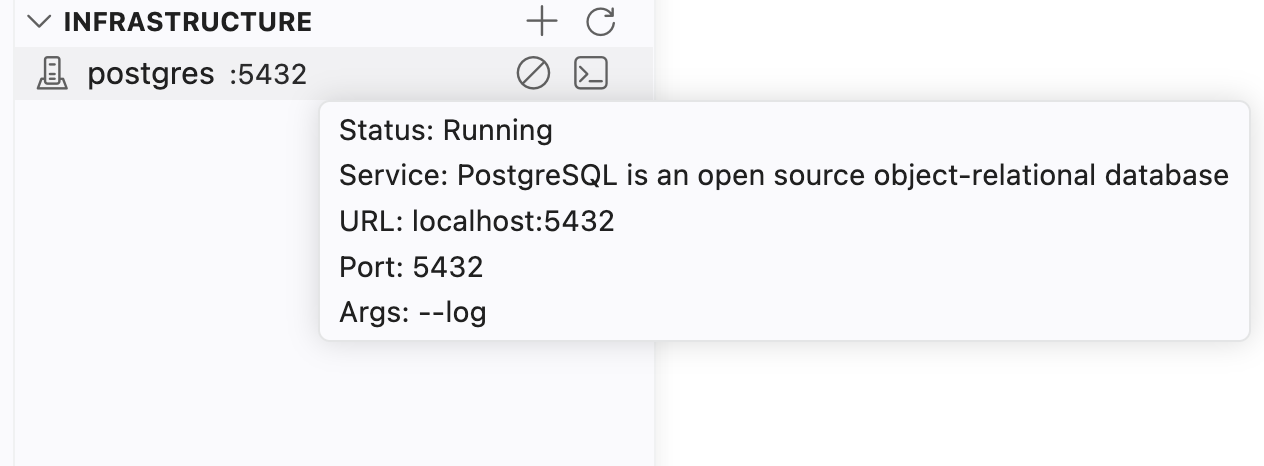
Manage running services in the Infrastructure view
DataMapper Enhancements
The DataMapper adds more flexible mapping instructions, improved XPath editing, and expanded support for complex XML schemas.
XPath 3.1 and XSLT 3.0 Functions
The XPath expression editor provides more guidance when writing mapping expressions:
- Function Completion - Get function suggestions with signatures and descriptions as you type.
- Hover Help - Hover over a recognized function name to read its documentation.
- Expanded Function Catalog - Access XPath 3.1 and XSLT 3.0 functions, including math, map, array, and higher-order functions.
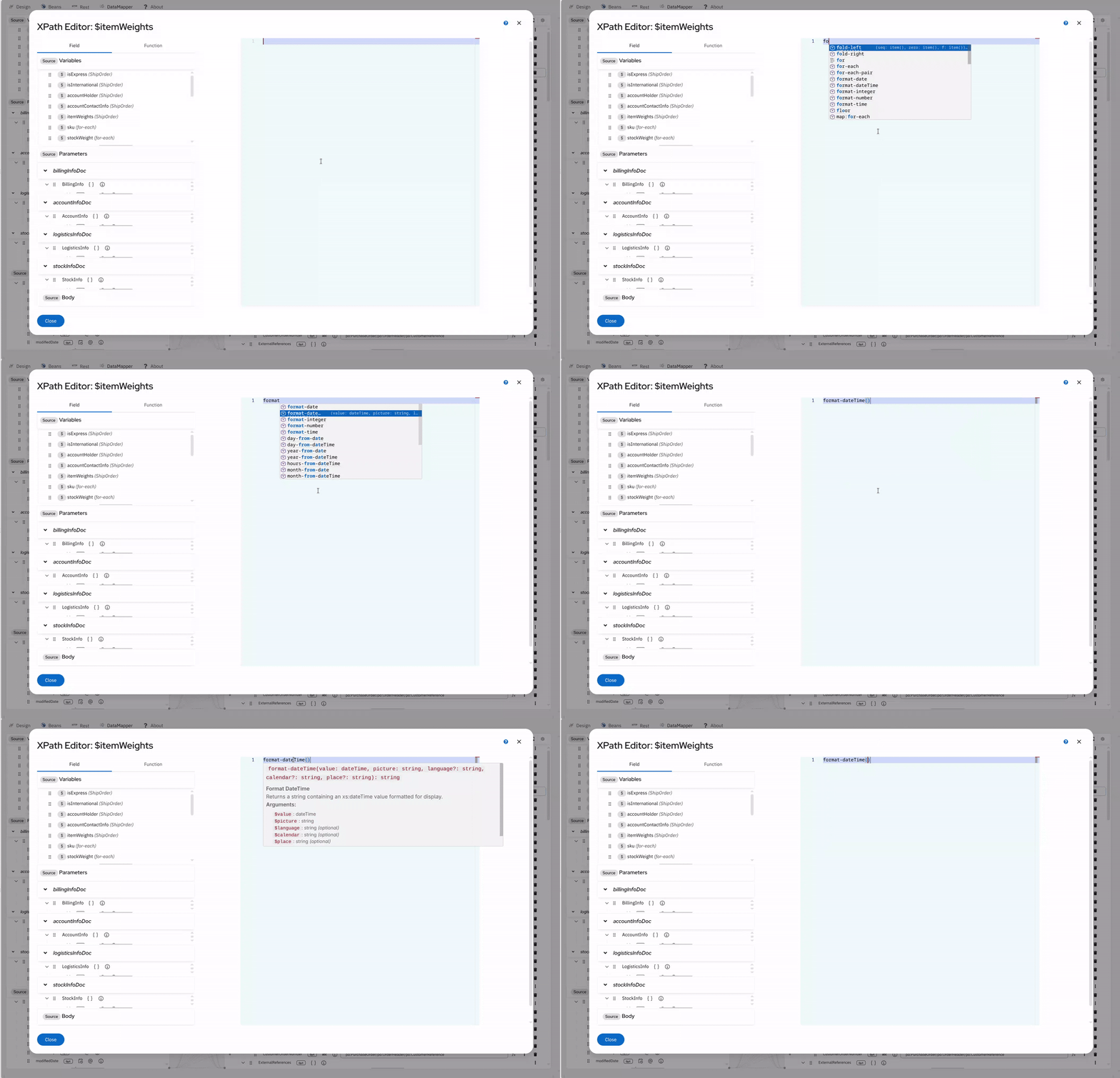
Write mapping expressions with the XPath expression editor
Advanced Schema and Type Support
- Collection Abstract Fields - Abstract and choice wrapper fields with
maxOccurs > 1are now treated as collections, so substituted elements can be iterated correctly.
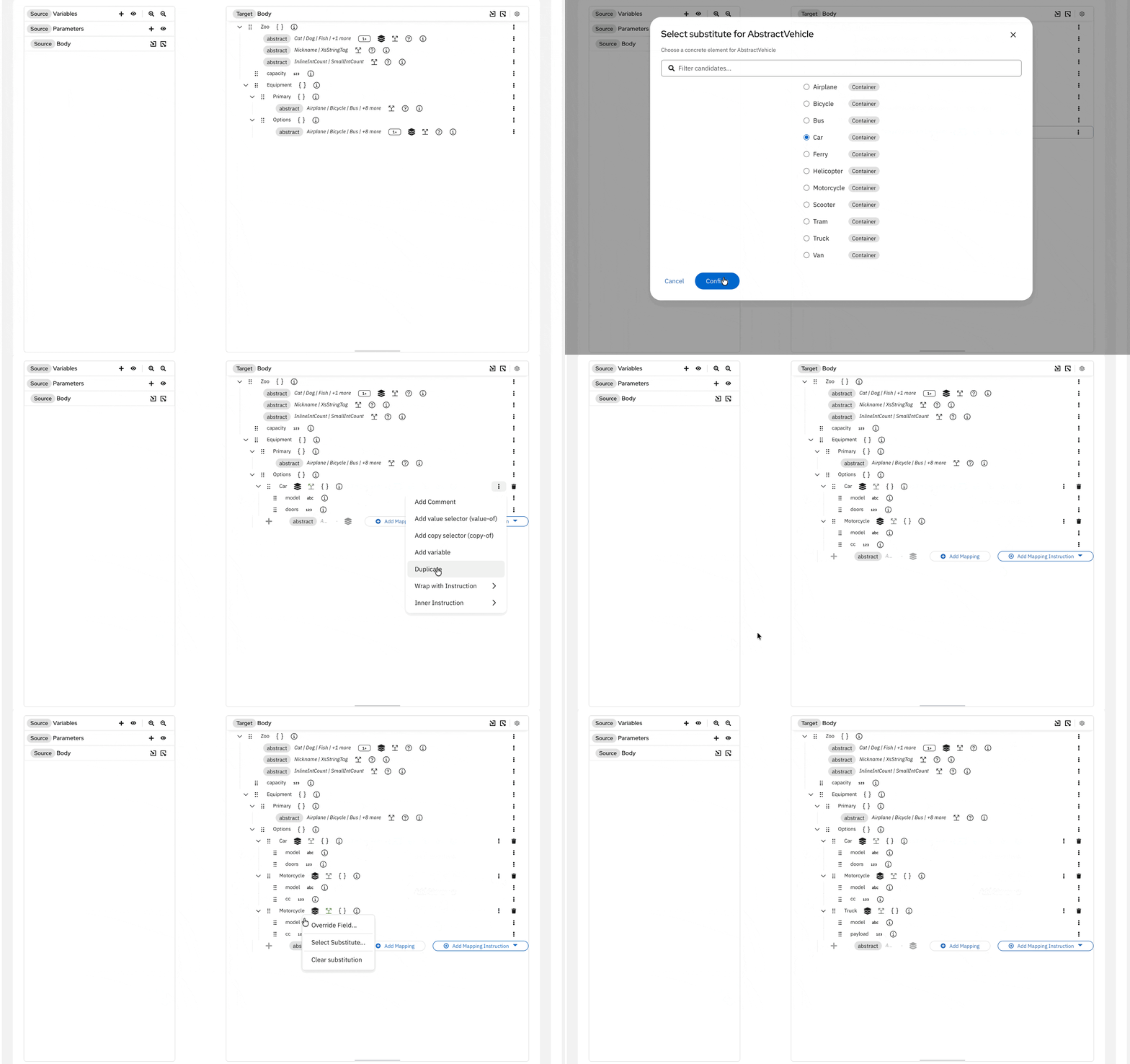
Abstract and choice wrapper fields with maxOccurs > 1 as collections
- Sequence Choices - Select an
xs:sequencebranch within anxs:choicefield. Change or clear selections from the context menu, with support for nested choices and inherited collection and cardinality constraints.
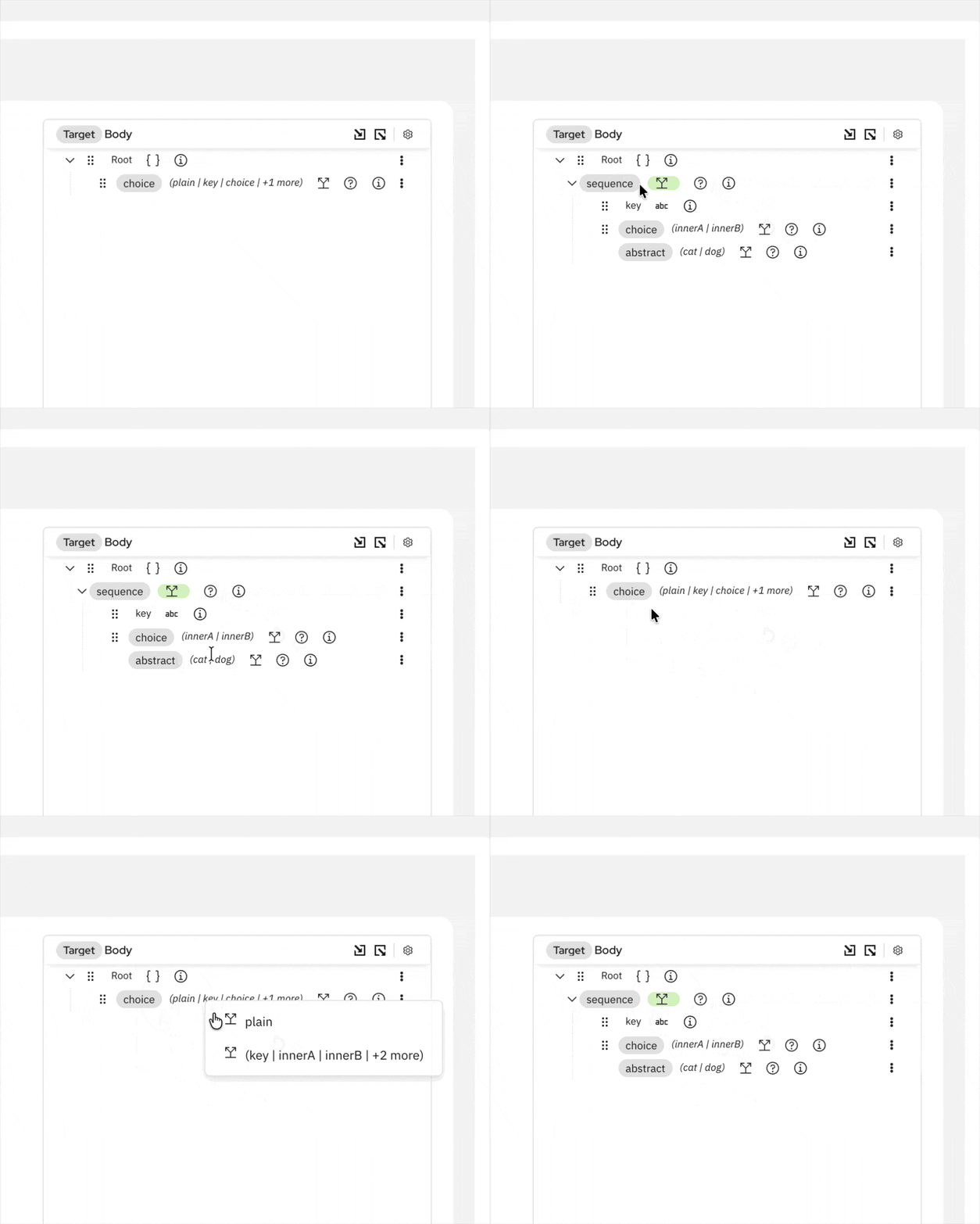
Select an xs:sequence branch within an xs:choice field
- Abstract Type Detection - The DataMapper detects wrapper field selections and substitutions from XSLT and removes user-created fields that are no longer valid.
- Type Overrides - Generated XSLT now includes
xsi:typeattributes for compatible type overrides, allowing XML Schema validators to identify the selected type. The Field Override modal now uses a typeahead selector to search and filter available types as you type.
Variables and Grouping
- Variables - Use local and global
xsl:variabledefinitions as mapping sources and reference them in XPath expressions.
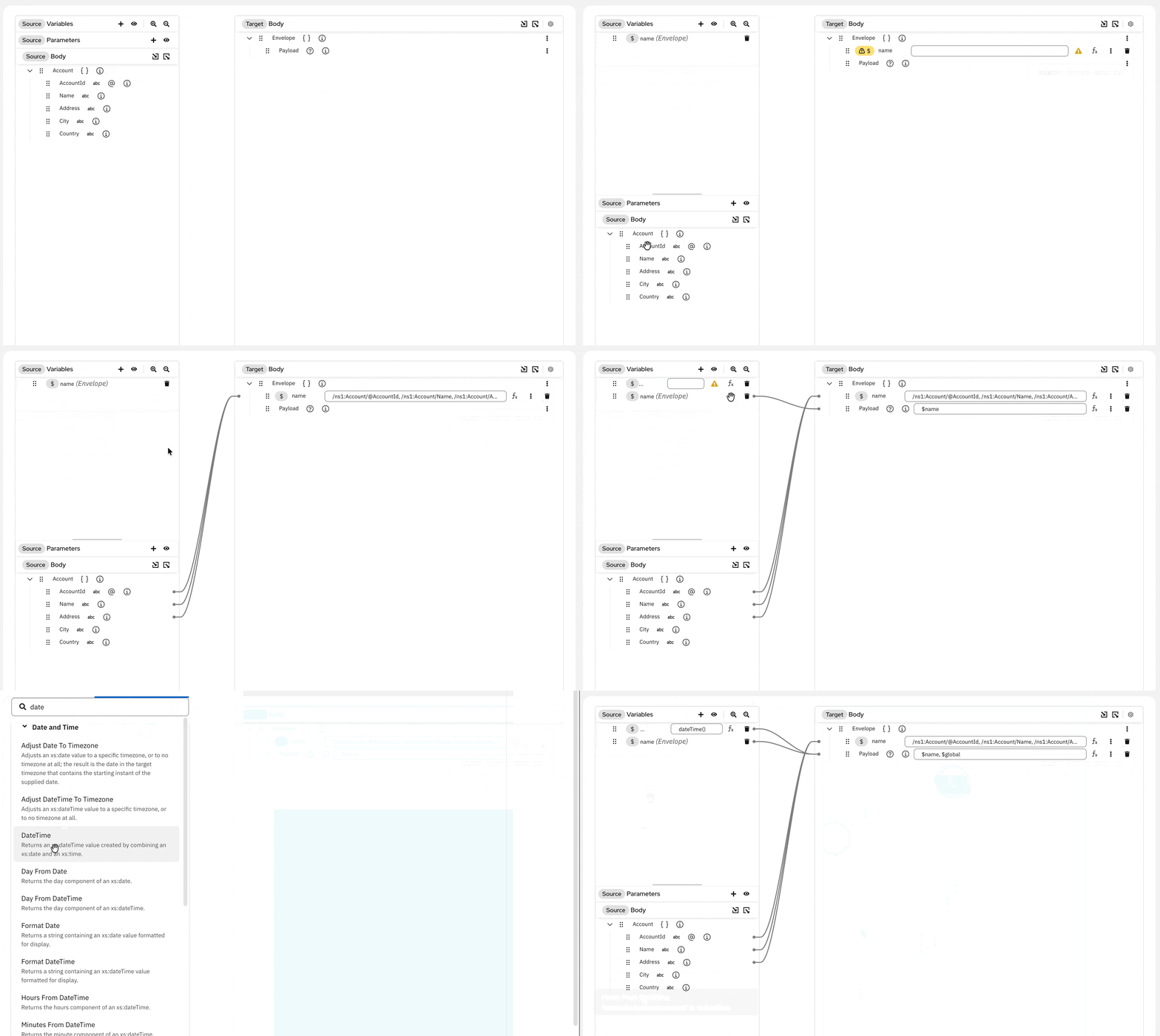
Use xsl:variable definitions as mapping sources
- Grouping and Sorting - Create collection mappings with
xsl:for-each-groupand configure sorting withxsl:sort.
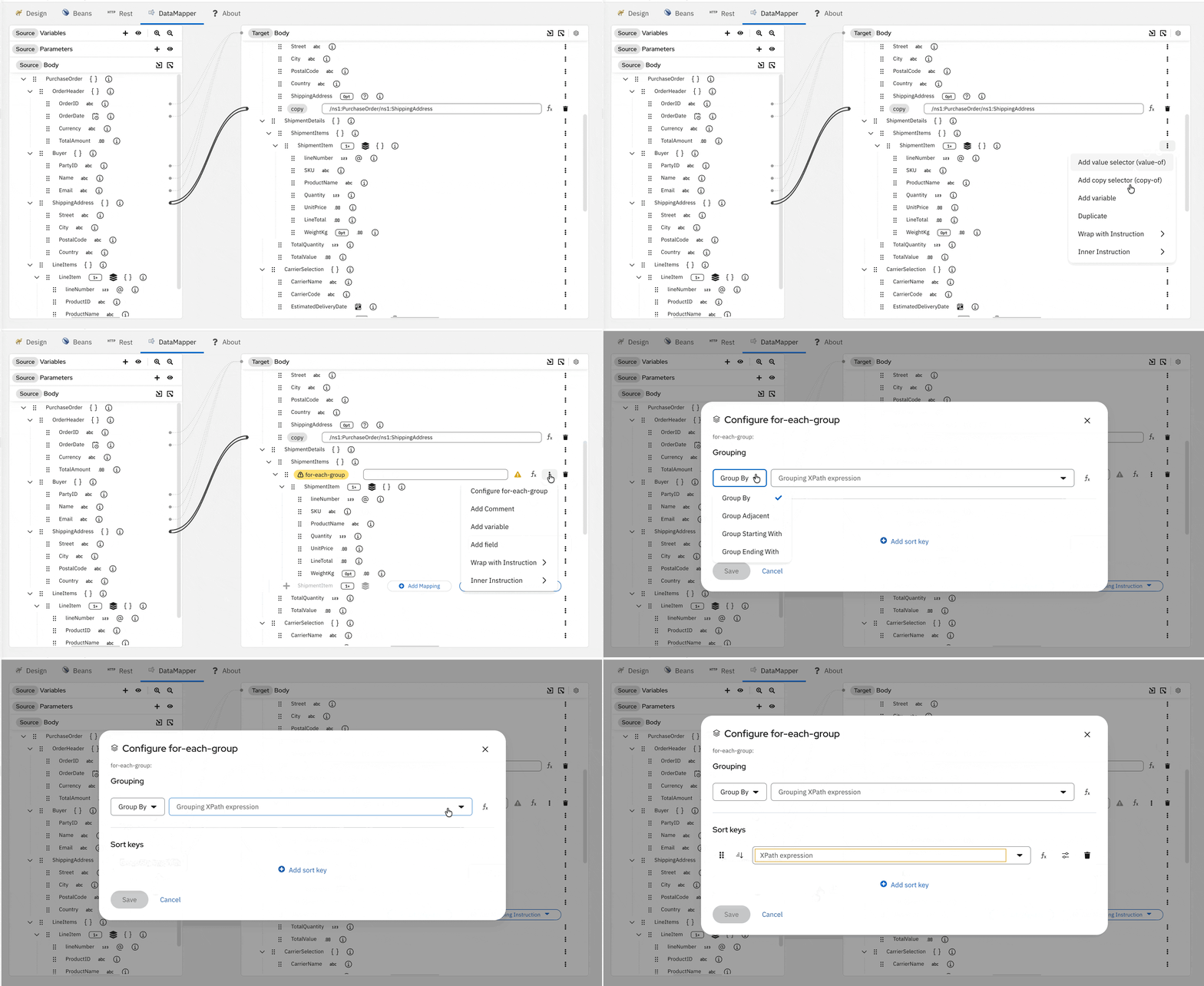
Configure grouping strategy and sort keys with xsl:for-each-group
Enhanced Mapping Context Menu
- Value and Copy Selectors - Add
xsl:value-ofandxsl:copy-ofinstructions from the mapping context menu, or useDuplicateto add multiple mappings to a collection target field. - Mapping Instructions - Use the new
Wrap with InstructionandInner Instructionsubmenus to control how mapping instructions are nested. - Complex Field Expressions - Primitive target fields can now use a full XPath expression as their value, not just a direct field reference.
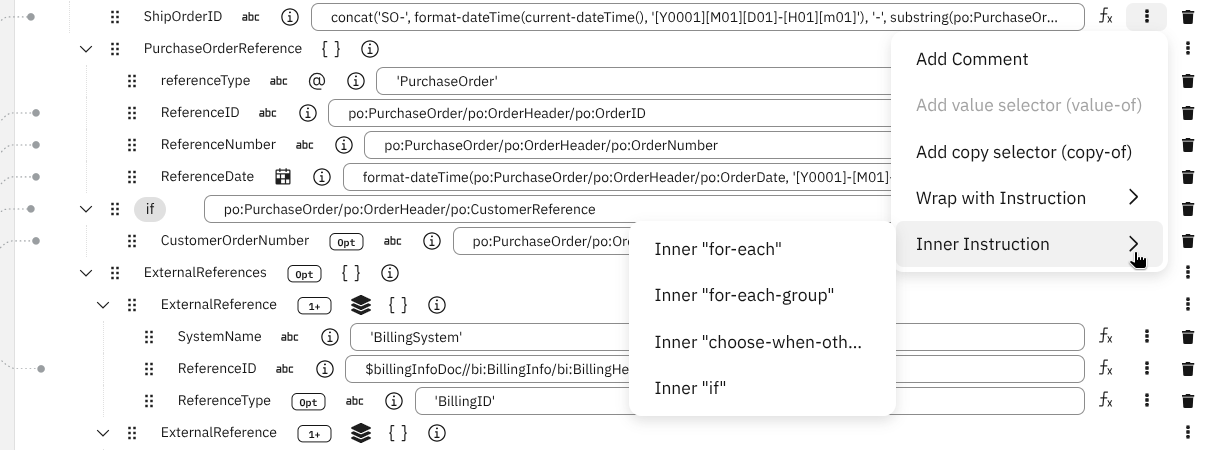
New mapping options in the DataMapper context menu
UX Improvements and Fixes
- XML Declaration Control - A new settings modal lets you control whether the generated XSLT output includes an XML declaration header (
<?xml version="1.0"?>).
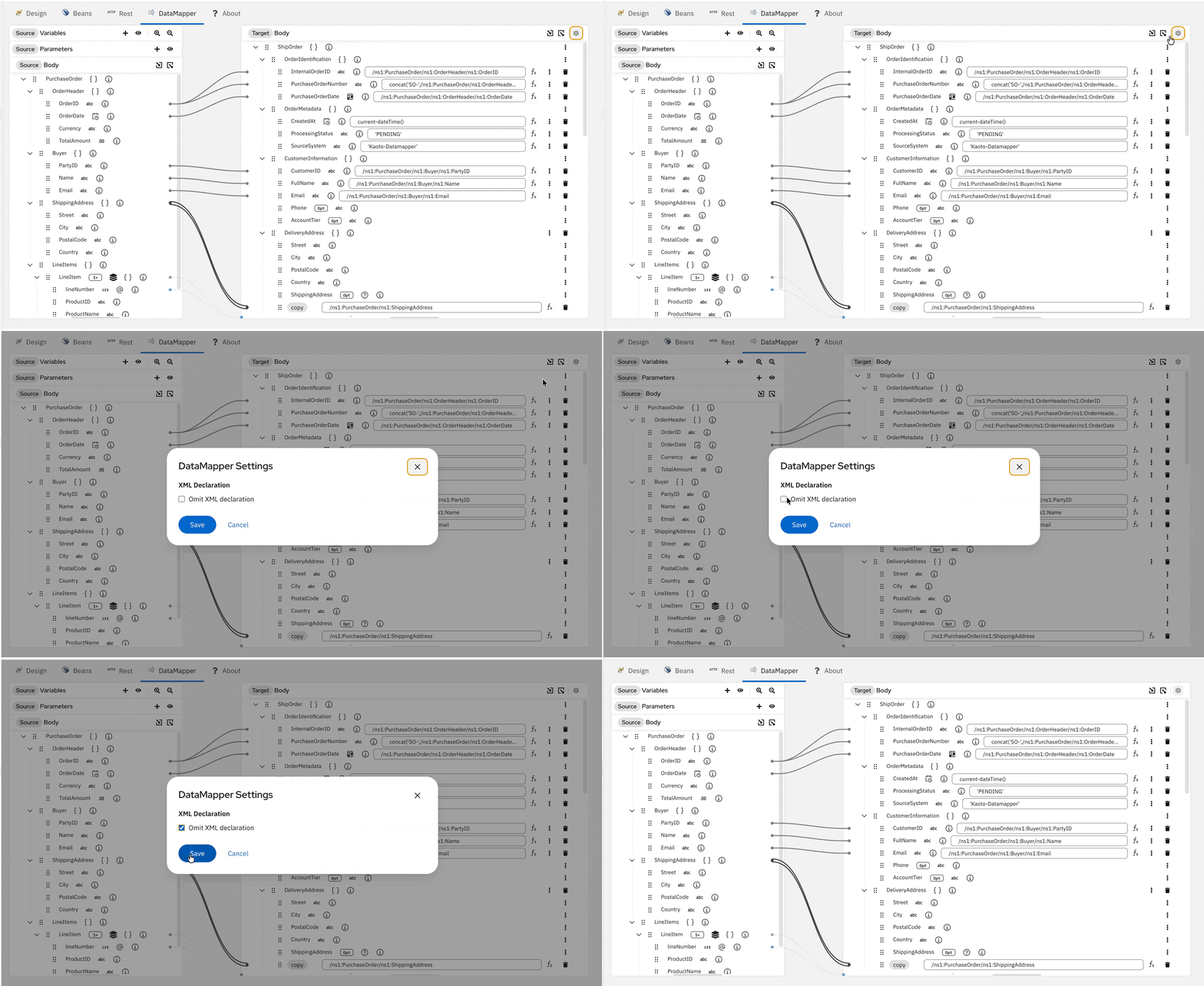
Control XML declaration output from the DataMapper settings
- Field Info Popover - Click any schema field to see its XSD type, cardinality, and description in a popover.
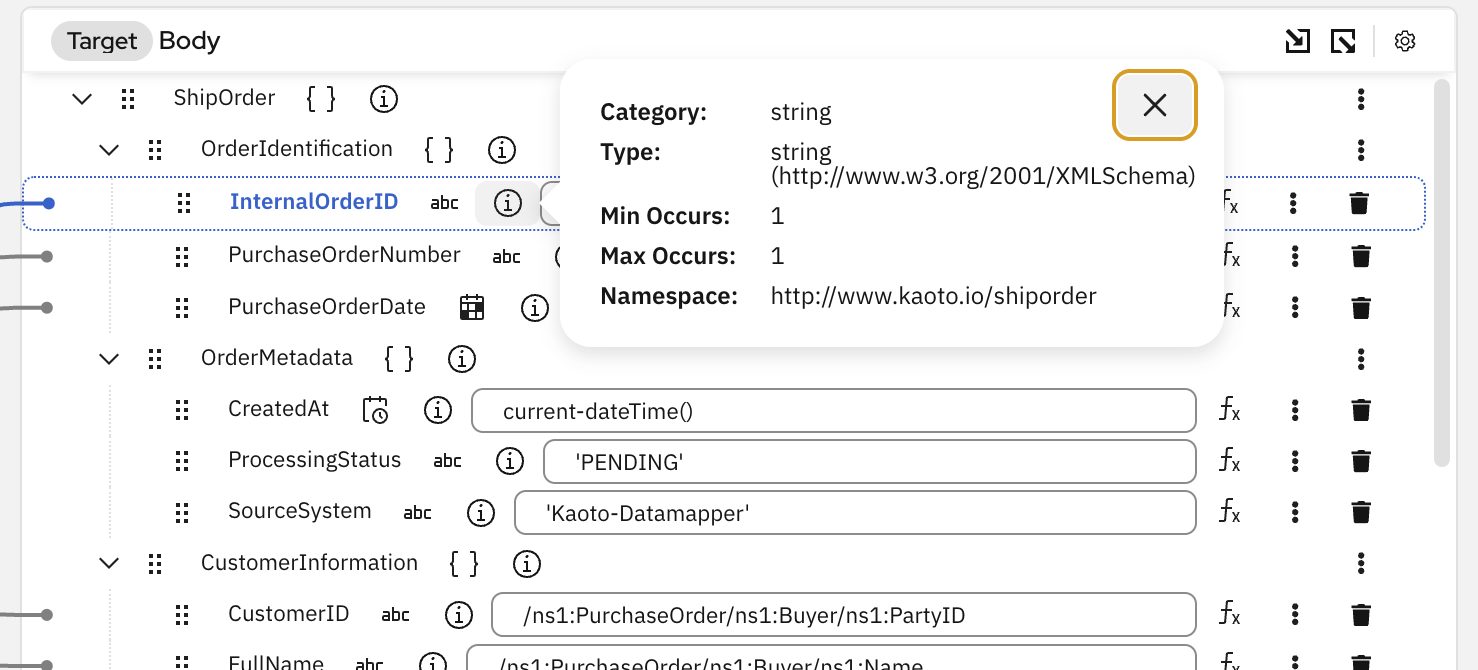
View field type and cardinality details in a popover
- Cleaner Mapping View - Unconfigured wrapper children are hidden by default to reduce visual noise.
- Fixed field expansion state being lost when the first mapping was created
- Fixed mixed content (text + elements) rendering and
value-of/copy-ofconsistency - Fixed XSD type alias resolution (e.g.
xs:string↔xsd:string) for field overrides - Removed the XSLT catalog entry from the catalog dropdown to avoid confusion
Custom Kamelet Improvements
Kaoto now treats your Kamelets like catalog citizens. Working with custom Kamelets is easier with these updates:
- Workspace Kamelets - Custom Kamelets in your workspace are automatically available in the catalog so you place it on any route and tune properties per step through configuration forms.
- Live Property Refresh - Changes to a custom Kamelet’s properties now appear in the configuration forms of routes that use it, without reopening the route file.
- Paste Support - Pasting a Kamelet or Pipe now restores its complete definition, including beans, error handlers, and metadata.
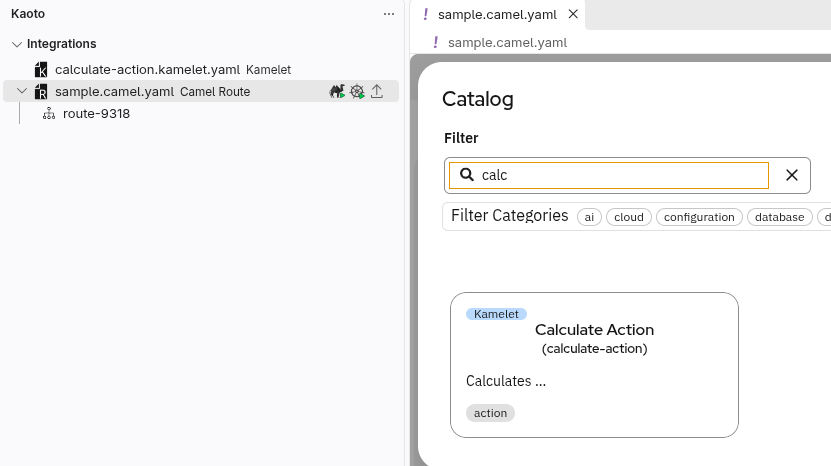
Access and use your local Kamelets directly in your routes
a2aSubTask EIP Support
The a2aSubTask (Agent-to-Agent Sub Task) EIP now appears as a step container on the canvas, like aggregate, split, and saga. You can add and manage its nested steps visually.
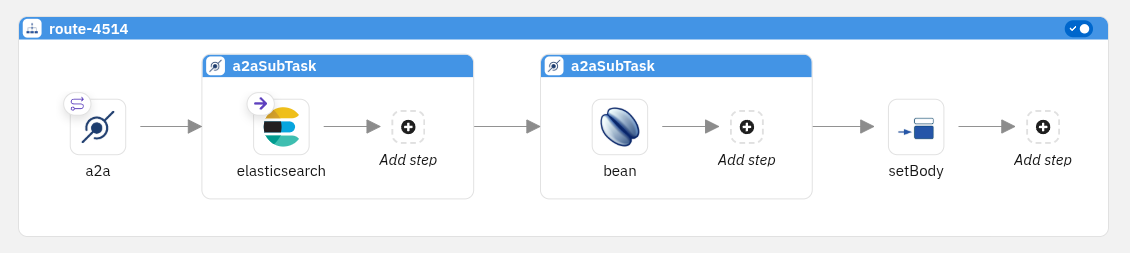
Organize route steps in A2A Sub Task containers
The route shown above is based on an example from the Apache Camel documentation.
Catalog Version
Kaoto 2.12 includes the Apache Camel 4.22.1 catalog, providing components, EIPs, and Kamelet definitions for this Camel version.
For a full list of changes, please refer to the change log.
Let’s Build it Together
Let us know what you think by joining us in the GitHub discussions. Do you have an idea how to improve Kaoto? Would you love to see a useful feature implemented or simply ask a question? Please create an issue.
A big shoutout to our amazing contributors
Thank you to everyone who made this release possible!
Whether you are contributing code, reporting bugs, or sharing feedback in our GitHub discussions, your involvement is what keeps the Camel riding! 🐫🎉
New Contributors
We’re excited to welcome new contributors to the Kaoto community:
- @AmIrRX0 made their first contribution in #3840
- @atirna made their first contribution in #3787
- @AysajanE made their first contribution in #3478
- @brian-soltani made their first contribution in #3591
- @chrisriv10 made their first contribution in #3827
- @ConsultingFuture4200 made their first contribution in #3540
- @etzel-mes made their first contribution in #3469
- @Indo86 made their first contribution in #3941
- @Jinal-Sarvaiya made their first contribution in #3483
- @MFA-G made their first contribution in #3758
- @nveces made their first contribution in #3276
- @plain-wind made their first contribution in #3831
- @snowyukitty made their first contribution in #3576
- @soosoo34 made their first contribution in #3587
- @UlikGames made their first contribution in #3595
Give it a try
- Kaoto quickstart.
- Kaoto is available as a VS Code extension.
- Kaoto showcase deployment.


