Kaoto 2.10 release



What’s New?
This release represents a major leap forward in visual integration design with full REST DSL and OpenAPI support, expanded DataMapper capabilities for complex multi-file schemas, and production-ready drag-and-drop functionality. Powered by Apache Camel 4.18.0, building sophisticated integrations has never been more intuitive.
REST DSL Support with OpenAPI Integration
Kaoto 2.10 introduces comprehensive REST DSL support, enabling you to design and configure REST APIs visually within Apache Camel integrations:
- OpenAPI Specification Import - Import existing OpenAPI 3.0 specifications from multiple sources (file upload, remote URI, or Apicurio Registry) and automatically generate Camel REST DSL definitions with routes. Selectively choose which operations to import and create skeleton routes with
direct:endpoints for each operation.
- Visual REST Configuration - Configure REST endpoints, operations, and bindings through Kaoto’s intuitive tree-based interface. Define REST methods with parameters, security requirements, response messages, and content types while linking operations to Camel routes.
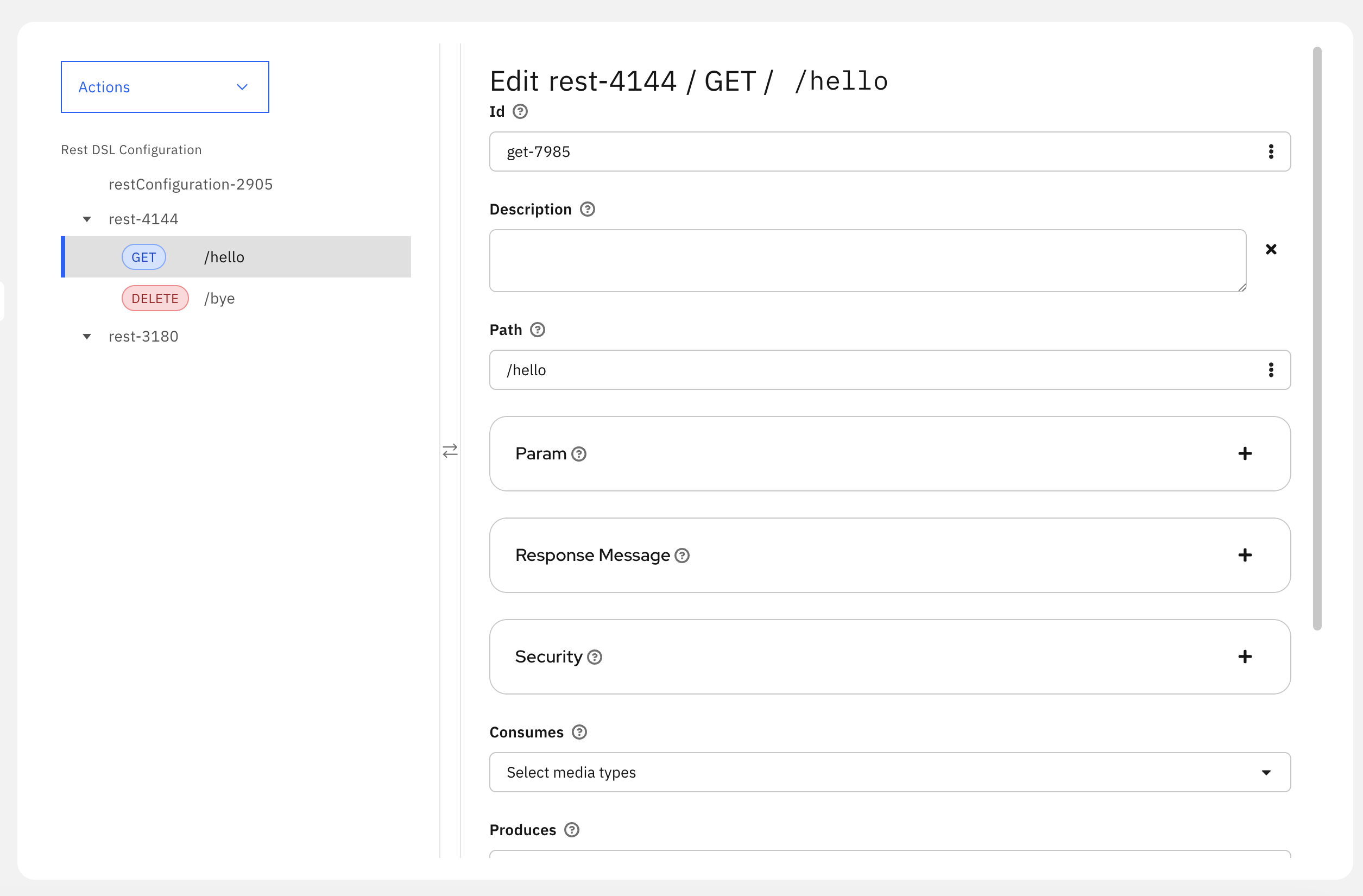
Rest DSL Editor
This feature bridges the gap between API-first design and integration development, allowing you to leverage existing OpenAPI specifications directly in your Camel routes.
DataMapper: Multiple Schema Support
The DataMapper has received substantial enhancements for handling complex data transformation scenarios:
Multiple Schema Files
Real-world data transformations often involve complex schemas split across multiple files. Kaoto 2.10 now handles these scenarios seamlessly:
XML Schema Imports - Full support for
xs:importandxs:include, allowing you to work with enterprise-grade schemas that span multiple files without manual consolidationDependency Analysis - Intelligent analysis of schema file dependencies
- JSON Schema References - Automatic resolution of JSON
$refreferences across multiple files
Enhanced Data Source Support
- JSON Source Body - Direct support for JSON source message body as a data source, eliminating the need to wrap JSON in parameters and simplifying your transformation setup
DataMapper UI/UX Improvements
The DataMapper interface has been refined for better usability:
- Expansion Panels - Resizable, collapsible panels for better source data organization, helping you focus on relevant sections when working with large schemas
- Field Type Icons - Visual indicators for field cardinality with Carbon Design System icons and dark mode support

Opt icon for optional field

0+ icon for optional collection field

1+ icon for required collection field
- Zoom Controls - Font size refinements and zoom controls for large schemas, making it easier to navigate complex data structures without losing context
- Disable DataMapper Step - Option to temporarily disable DataMapper transformations, allowing you to test your integration flow without removing the transformation logic
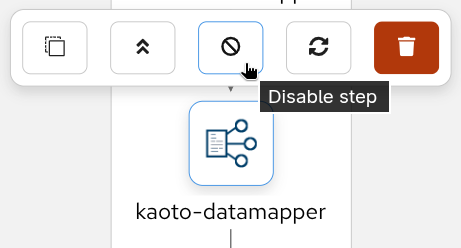
Disable DataMapper Step - Disable button
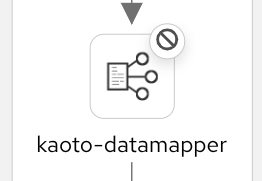
Disable DataMapper Step - Disabled state
Canvas and Visual Editor Enhancements
Building integrations is now more intuitive with these canvas improvements:
Drag and Drop
After extensive testing and refinement, drag and drop has graduated from experimental to production-ready status. This powerful feature is now enabled by default and fully supports complex integration patterns, making route construction faster and more intuitive than ever.
Edge Drop Support - Drop components directly onto connection edges to insert them between nodes, eliminating the need to delete and reconnect steps when modifying your flow
Container Drag and Drop - Move entire container components (like choice, doTry) with all their nested children
Visual Feedback - Real-time visual indicators show valid drop targets with directional cues during drag operations
Insert-at-Start Capability - Insert components at the beginning of containers using special placeholder nodes
Enabled by Default - Drag and drop is automatically enabled for all movable nodes (excluding top-level routes and from endpoints)
Layout and Rendering
- Canvas Layout Direction - Choose between horizontal and vertical layout orientations to match your workflow preferences and screen real estate
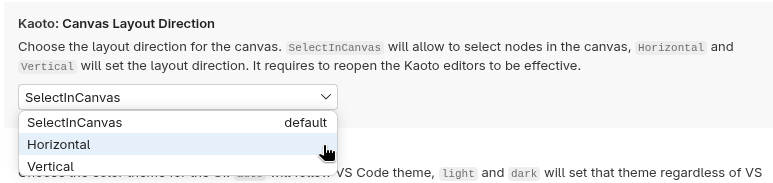
Layout Settings
Undo/Redo Improvements - Nodes properly re-render after undo and redo operations, ensuring visual consistency
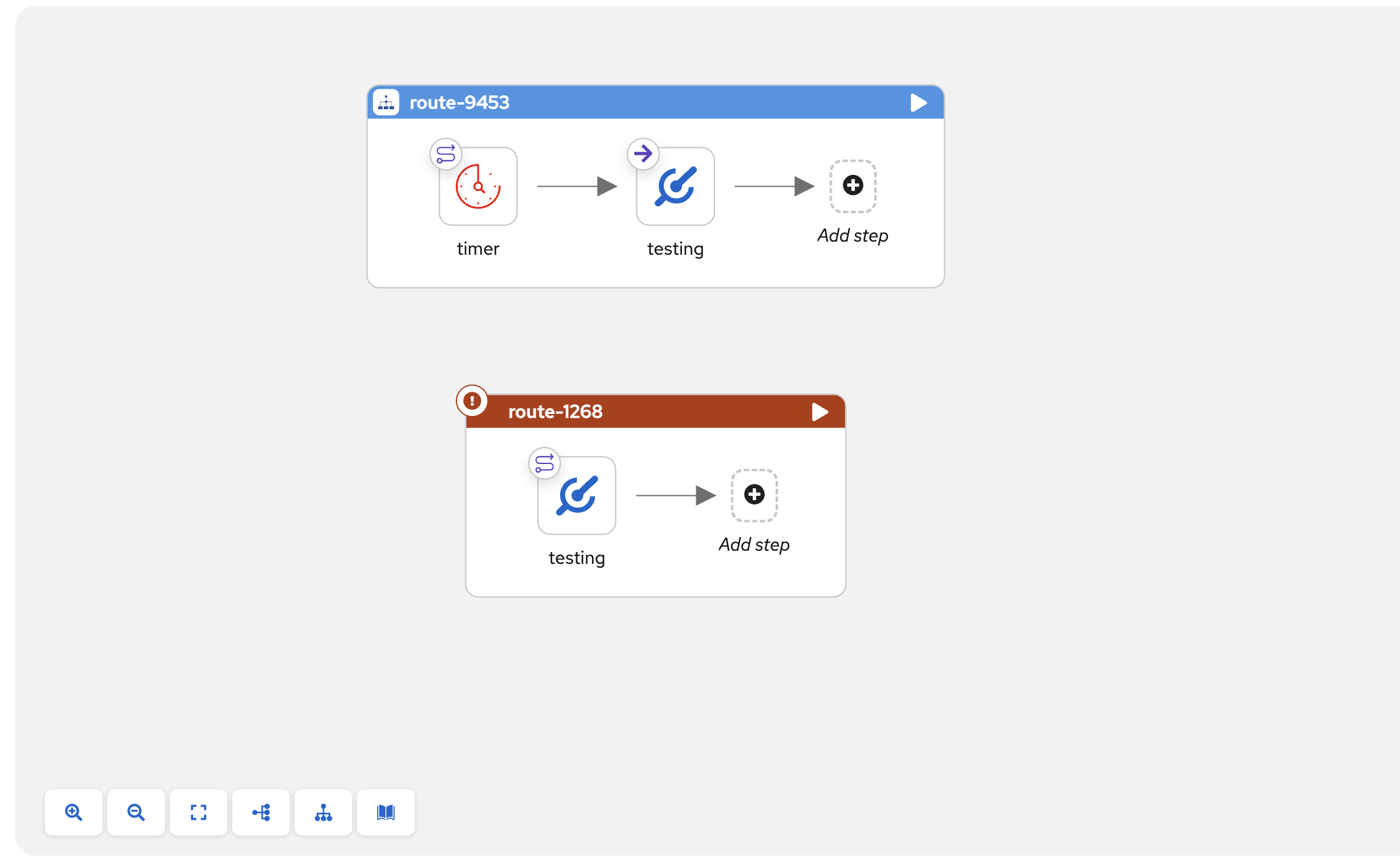
Create Routes from Direct - Quickly create new routes starting from direct components with a single action
Create Routes from Direct - Step 1 Create Routes from Direct - Step 2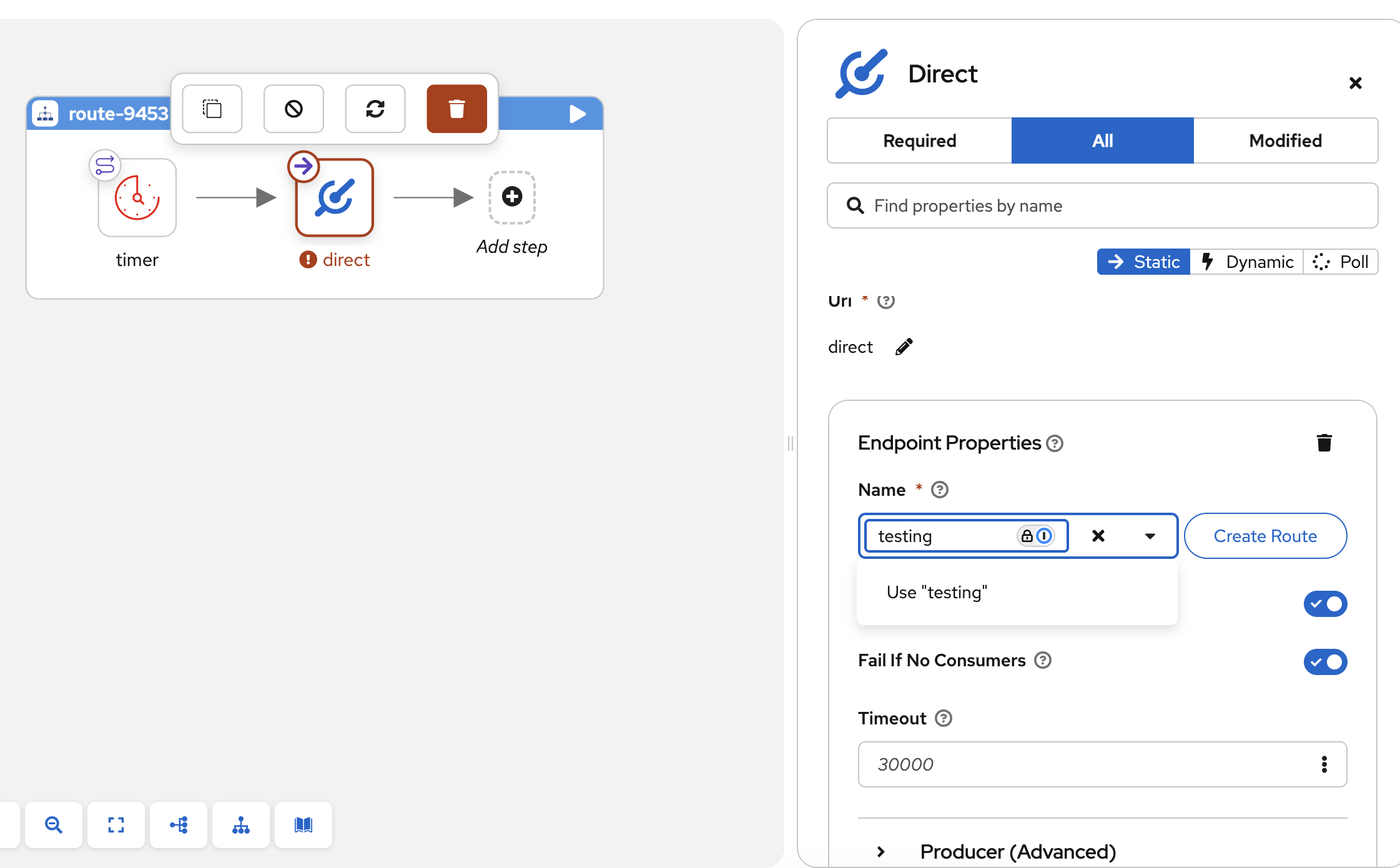
Forms and Configuration
Configuration forms have been enhanced for better usability:
- Show/Hide URI - Toggle URI visibility in component forms for a cleaner, more focused interface when you don’t need to see the raw endpoint syntax
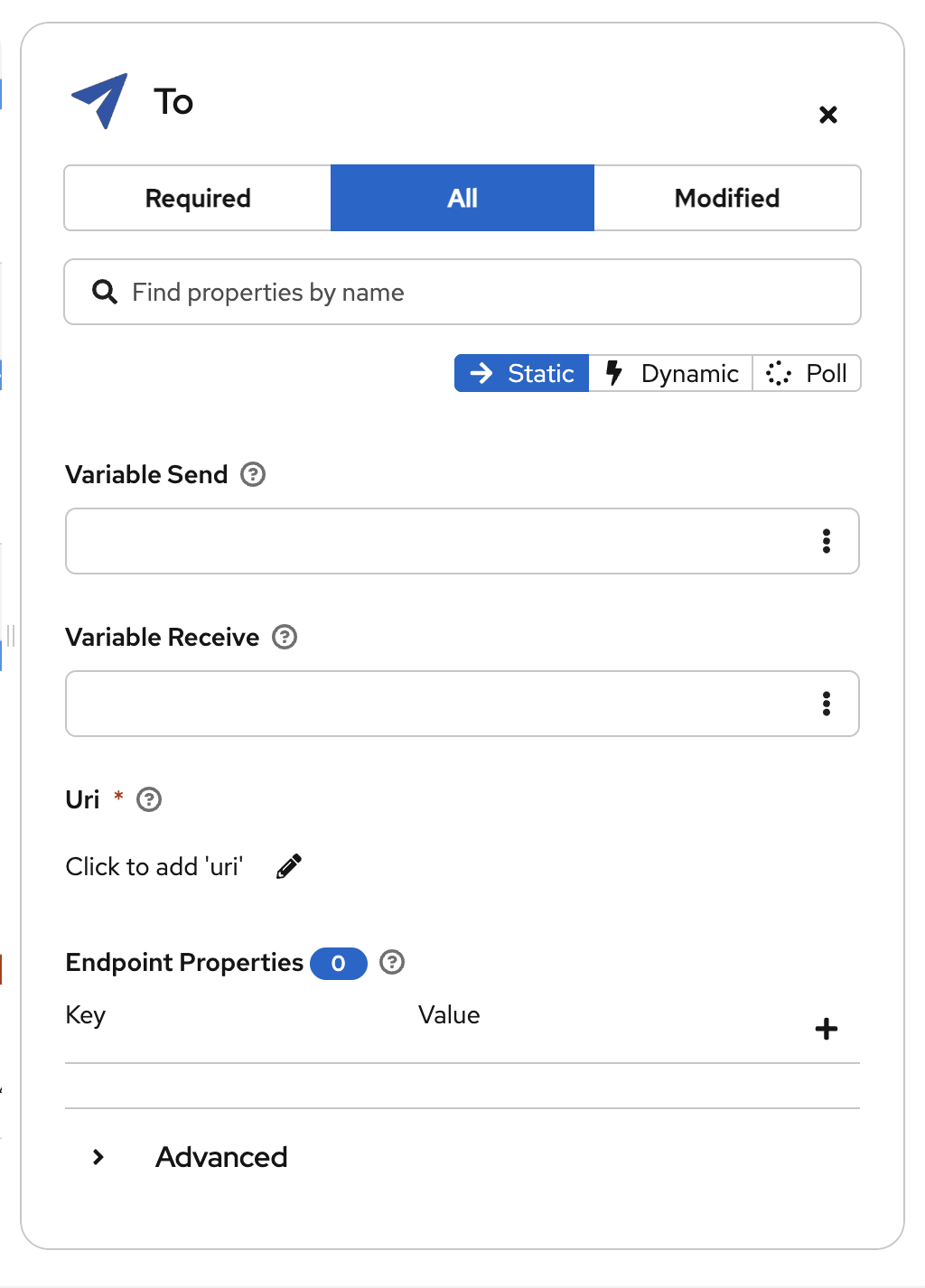
Modifying URI in the form
- Suggestions button: The form fields now show a new button to trigger suggestions
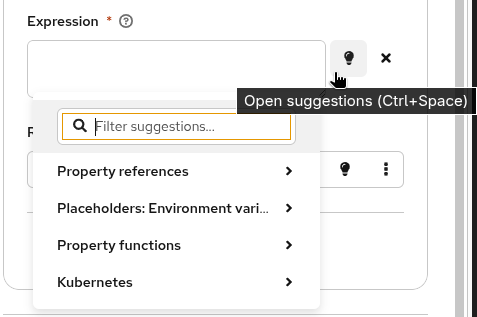
Suggestion button
Tests view
A brand new view dedicated to managing and running Citrus tests has been added to the Kaoto sidebar! This view provides a complete testing workflow for your Apache Camel integrations using the Citrus framework.
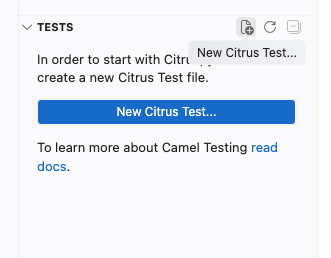
Tests view
Bug Fixes
XML Bean Parsing - Correctly parse beans in XML expression parser
YAML Entity Sorting - Entities are now properly sorted when created, maintaining consistent ordering
URI Format Support - Support for URI formats with and without
://authority separator for flexible component configuration
Camel Catalog Version
Kaoto 2.10 includes support for:
Camel Main - 4.18.0
Camel extensions for Quarkus - 3.32.0, 3.27.2
Camel Spring Boot - 4.18.0, 4.14.5
For a full list of changes please refer to the changelog.
Let’s Build it Together
Let us know what you think by joining us in the GitHub discussions. Do you have an idea how to improve Kaoto? Would you love to see a useful feature implemented or simply ask a question? Please create an issue.
A big shoutout to our amazing contributors
Thank you to everyone who made this release possible!
Whether you are contributing code, reporting bugs, or sharing feedback in our GitHub discussions, your involvement is what keeps the Camel riding! 🐫🎉
Give it a try
- Kaoto quickstart.
- Kaoto is available as a VS Code extension.
- Kaoto showcase deployment.


